

Key Takeaways
- Notion works as a single workspace for projects, clients, finances and SOPs, which matters for solo service providers juggling multiple apps on a tight budget
- Free Notion templates cover core needs like CRM, project boards, invoicing and goal tracking, while paid “operating system” templates add connected databases and built-in instructions
- Notion’s Free plan allows unlimited pages and up to 10 guests, while the paid Plus plan costs $10 per user per month billed annually and the Business plan costs $20 per user per month billed annually, adding file uploads, longer version history and advanced permissions as a team grows
- Choosing the right template depends on how well it fits an existing workflow, not how many features it claims to pack in
- Combining both channels into one simple sequence usually beats picking just one, which raises the question of what that sequence should actually look like.
- A pricing and plan breakdown further down explains exactly when it makes sense to upgrade from Notion’s Free plan
Running a one-person service business often means switching between five or six different apps before lunch: one for invoices, another for client notes, a spreadsheet for projects, and a notebook somewhere for the ideas that never made it anywhere else. Notion has become a popular fix for that mess, working as a single workspace where notes, tasks, databases and project tracking all live together. For freelancers, consultants, coaches and designers, that means project management, client tracking, financial overviews, SOPs and internal documentation can sit inside one tool instead of five.
What makes Notion particularly useful for small operators is its template system. Rather than building a workspace from a blank page, ready-made templates (including AI-friendly ones) exist for the exact workflows solo businesses run every day: project boards, CRM layouts, meeting notes, inventory trackers and simple finance dashboards. Getting the structure right matters more than people expect, since a messy workspace tends to mirror a messy business. Pressure has a way of bending judgement long before motivation runs out, and a cluttered system is one of the quiet ways that pressure builds.
This piece compares the free and paid Notion template options worth knowing about, the use cases they solve, and how to pick between them without overpaying for features that never get used.
What Small Businesses Actually Use Notion For

Before comparing templates, it helps to know what problems they are actually meant to solve. Most small service businesses fall into a handful of recurring needs, and matching a template to the right category avoids wasted setup time.
- Project and task management: Kanban boards, timelines and calendars with task owners and due dates, useful for tracking client deliverables without losing sight of deadlines.
- Client and CRM tracking: Contact databases, pipeline stages, meeting logs and follow-up reminders, built for solo operators who cannot afford to let a warm lead go cold.
- Finances and invoicing: Income and expense trackers, budget views and invoice generators with payment status tracking.
- Operations and SOPs: A company wiki, onboarding documents and process libraries, which matter even for a team of one, since a documented process survives a busy week better than something kept in someone’s head.
- Marketing and content: Editorial calendars and social media planners that keep consistent output possible without a dedicated marketing hire.
- E-commerce and inventory: Product catalogues, stock levels, orders and supplier records, relevant for service providers who also sell physical or digital products on the side.
Each of these categories has its own free and paid templates, which is where the real comparison begins.
Best Free Notion Templates for Small Business
Free templates are a sensible starting point for testing whether Notion fits a working style before committing time or money to a bigger system. Several free options cover the fundamentals well enough that many solo businesses never need to upgrade beyond them.
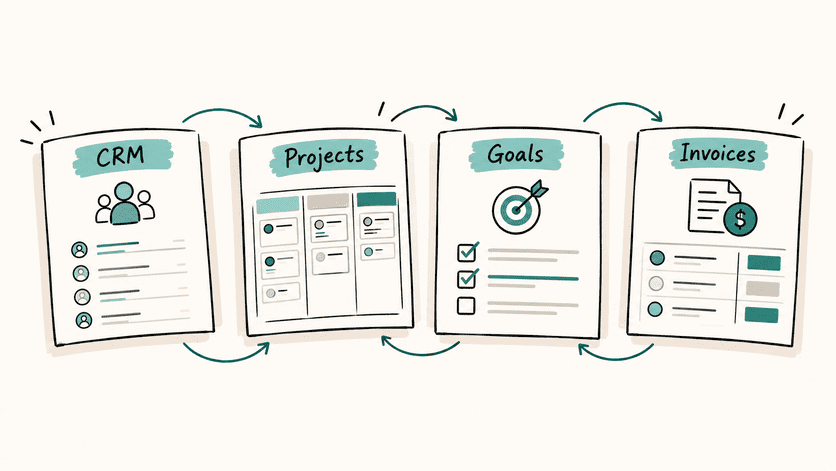
A free Notion CRM keeps client data, leads and pipeline stages in one place, which suits solopreneurs and small teams who are not yet managing a large enough client list to need anything more complex. Alongside it, a free project management template centralises project details with task boards and timelines, useful for tracking client work or internal initiatives without extra software. For anyone selling physical goods, a Business Orders & Inventory template tracks e-commerce orders and stock levels, while a minimalist Goal Tracker helps set business goals and monitor progress over a quarter or a year.
Marketing and planning needs are also well served on the free tier. A Social Media Planner template schedules content across platforms, a One-Page Business Plan captures strategy, market and revenue model in a single document, and a free Invoice Template generates and tracks payment statuses without needing separate invoicing software. There is also an SEO Toolbox template for organising keywords and content ideas, plus Buyer Persona and FAQ templates for building a self-serve knowledge base. Notion’s official Template Gallery lists tens of thousands of templates filterable by category, so browsing by “Business”, “CRM” or “Finance” is often the fastest way to find a free fit.
Best Paid Notion Templates for Small Business
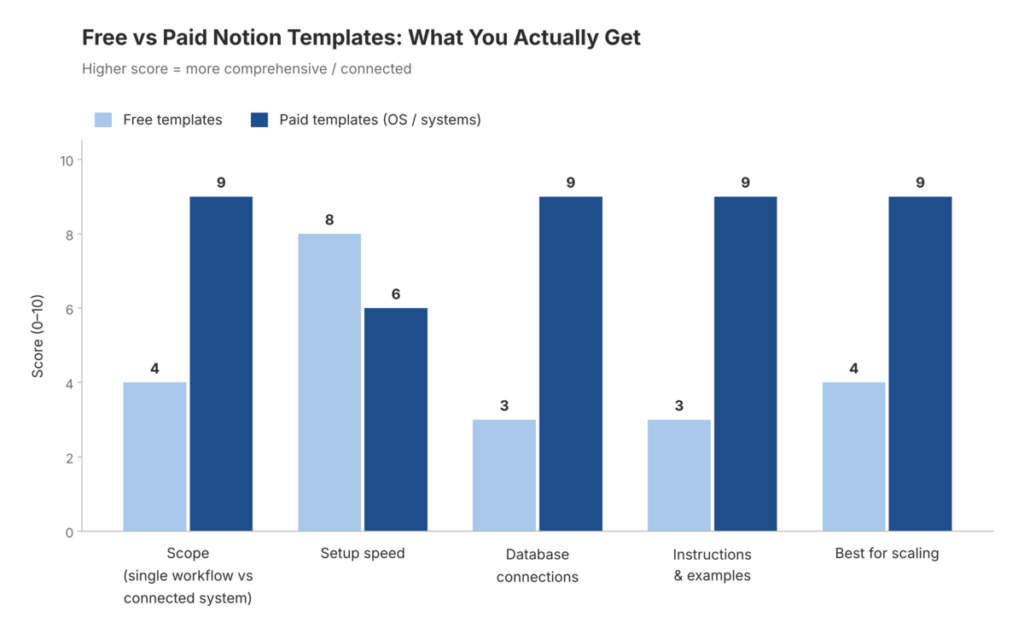
Paid templates function less like a single page and more like a complete operating system, with connected databases, built-in automations and instructional content designed to shorten setup time. They suit businesses that have outgrown ad hoc free templates and want everything linked together from day one.
Several paid templates show up repeatedly in small-business recommendations:
- Notion Ultimate Business OS: an all-in-one system for agencies, entrepreneurs and small businesses, covering projects, CRM, finances and team collaboration in one connected workspace.
- Notion Commerce Business OS: built for online and retail businesses, including inventory, orders, suppliers and financial reporting.
- Notion CRM Client Portal: combines CRM functions with client-facing portals, project tracking and automated invoicing, a strong fit for service businesses and freelancers managing several clients at once.
- Notion Finance OS: a budget tracker with income and expense dashboards and automated financial reporting, useful for anyone who wants a clearer month-to-month picture of cash flow.
- Freelance Business OS templates: combining client databases, invoice and payment tracking, proposal and contract templates, and time tracking, aimed squarely at solo operators managing clients and cash flow at once.
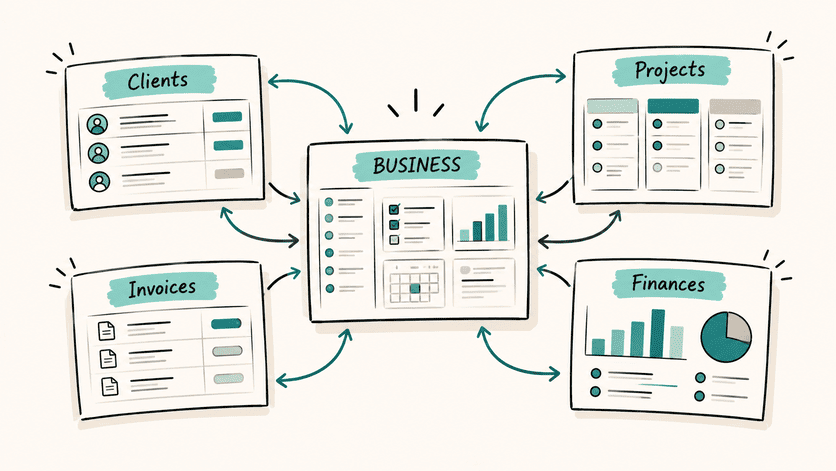
The appeal of paid templates comes less from extra features and more from the connections between them. A client record that automatically links to a project, which links to an invoice, which links to a finance dashboard, removes a lot of manual re-entry that free templates often leave behind.
How to Choose the Right Template
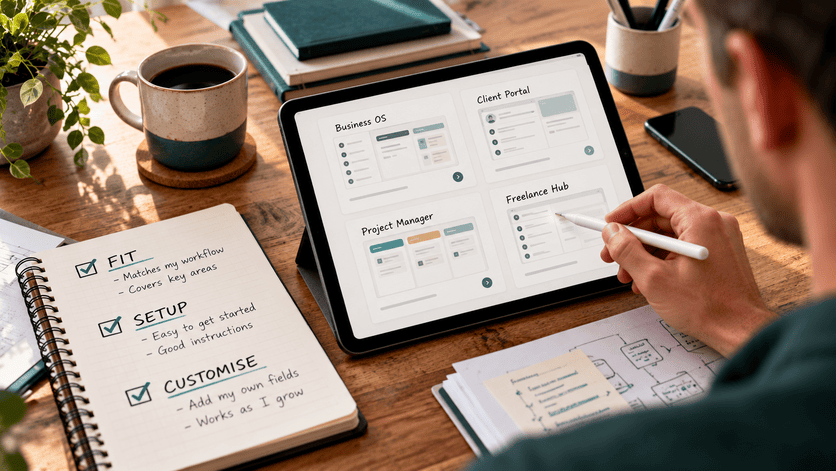
- Picking a template is less about finding the one with the longest feature list and more about matching it to how work actually gets done day to day. A few checks make the decision far easier.
- Fit to workflow: does the template match solo versus team work, service versus product delivery, local versus online sales?
- Core modules included: look for projects and tasks, CRM or clients, finance and invoices, and an SOP or wiki section as a baseline, rather than assuming these will get added later.
- Database views and dashboards: Kanban, calendar, timeline and summary dashboard views reduce the number of clicks needed to find anything.
- Connected databases: templates linking clients to projects, projects to invoices, and invoices to finance save time and reduce the risk of mismatched records.
- Onboarding and instructions: video walkthroughs, pre-filled example data and setup checklists shorten the time between installing a template and actually using it.
- Customisability: it should be possible to add fields, views and filters without breaking the underlying structure.
- Permissions and sharing: anyone planning to share a workspace with clients or contractors needs to check guest limits and page-level permission controls before relying on it.
A genuinely useful small-business template tends to share three traits: it is connected across its modules, it uses active properties like status, owner and due date, and it is ready to edit from day one with example entries already filled in. Templates missing all three usually end up half-used within a month.
Notion Pricing and Plans for Small Businesses
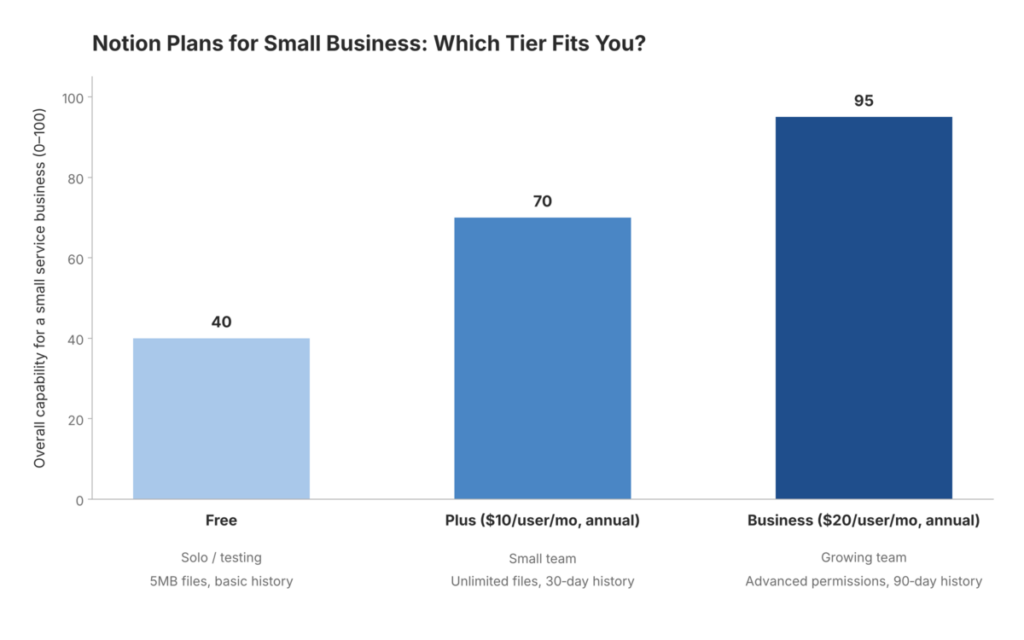
Pricing affects which templates are even usable, since file size limits, guest numbers and version history vary by plan. Notion’s Free plan offers unlimited pages and blocks with up to 10 guests, though file uploads are capped at 5MB each, which is enough for testing a workspace or running it solo but tight for anyone sharing large design files or reports with clients.
Moving up a tier, Notion Plus costs $10 per user per month when billed annually and removes the file upload cap, adds up to 100 guests and provides 30-day version history, making it a reasonable fit for small teams that have outgrown the free tier. The Business plan, at $20 per user per month when billed annually, adds advanced collaboration tools, SAML single sign-on and 90-day version history, aimed at growing teams that need more governance over who can see and edit what. For most solo freelancers starting out, the Free or Plus plan covers what is needed, with an upgrade to Business only becoming relevant once advanced permissions or longer audit trails start to matter.
Common Questions About Notion for Small Business
Can Notion replace a dedicated CRM?
For lightweight to mid-complexity sales workflows involving leads, accounts, pipeline stages and follow-ups, yes, many small teams run their entire client relationship process inside Notion successfully. Businesses with complex forecasting needs or large sales teams may still need a dedicated CRM platform alongside it.
Is Notion good for project management?
It works well for lightweight to mid-complexity projects, particularly when documents, briefs and decisions need to sit alongside the task list rather than in a separate tool.
Can invoicing and basic finance tracking happen inside Notion?
Templates support income and expense tracking, budgets and invoice generation with payment status. Notion itself is not an accounting program, so it works best alongside proper accounting software for tax and compliance matters.
What about e-commerce and inventory?
Dedicated templates exist for inventory, orders, refunds and customer management, and these centralise data well without replacing an actual store platform or payment processor.
How does sharing with clients work?
Client portal templates expose selected pages such as proposals, timelines and deliverables while restricting editing access, with Notion’s guest and permission settings controlling exactly who sees what.
Setting Up a Template to Get Value Quickly
A new template is only useful once it reflects real client and project data, so the setup phase matters more than the template choice itself. Starting with one focused template that matches a primary need, such as CRM or project tracking, tends to work better than installing a sprawling all-in-one system on day one and never finishing the setup.
Importing existing client lists, project briefs and SOPs straight away makes the system immediately useful rather than leaving it half-empty for weeks. Defining three to five key views early on, such as a board, calendar and list for projects, or a pipeline and contact view for a CRM, keeps the workspace navigable as it grows. Standardising naming conventions and status labels from the start also means filters and dashboards stay reliable rather than becoming cluttered with inconsistent entries over time.
Getting the structure right the first time matters for reasons deeper than tidiness. A business built around a clear, repeatable structure can absorb a quiet month far more easily than one where client details, invoices and deadlines live scattered across different tools and someone’s memory. For self-employed service providers trying to build something that does not depend on every available hour, a well-organised workspace, free or paid, is one of the simpler structural fixes available.
Whichever route fits, one well matched system beats five disconnected apps. Start with the Notion template that solves today’s biggest headache and build from there.
A tidy workspace fixes the admin. It won’t fix prices that are too low or a client list that leans on one or two names. If the system is sorted but money still feels tight, the problem usually sits further upstream. The Solo Business Pressure Test is a free check that shows where the pressure is coming from, so the next fix is the right one.